 SUNOYMOUS
 Not on sale yet
Help
Everything in one place.
Short guides, what your PC needs, and answers. The cloud needs only a browser.
Start here · 10 min, plus the downloadInstall SunoymousSet up the studio on your PC.
- Check your PC: Windows 11, an NVIDIA RTX card with 24 GB, 64 GB of memory and 300 GB free on an SSD. See what your PC needs.
- Run the installer. It checks your graphics card and driver first.
- Let it download the AI models once, about 130 GB.
- Sunoymous opens in its own window, ready for your first video.
The installer is still being built. This is the planned flow.
Start here · 2 minPut the app on your phoneYour phone follows every video.
- On your phone, open sunoymous.com and tap Sign in.
- Use the same account as on your PC or the website.
- Tap Add to Home Screen. Sunoymous now opens like any other app.
- Every video shows up there, whether your PC or the cloud is filming it.
The planned flow. Today the phone app reaches the PC it is built on over Tailscale with a PIN.
No graphics card · 2 minMake it in the cloudNothing to install.
- Sign in at sunoymous.com. The Sunoymous app opens in your browser.
- At the top, set Films on to Cloud.
- Add credits, then make a video as usual. A cloud GPU films it and stops when it is done.
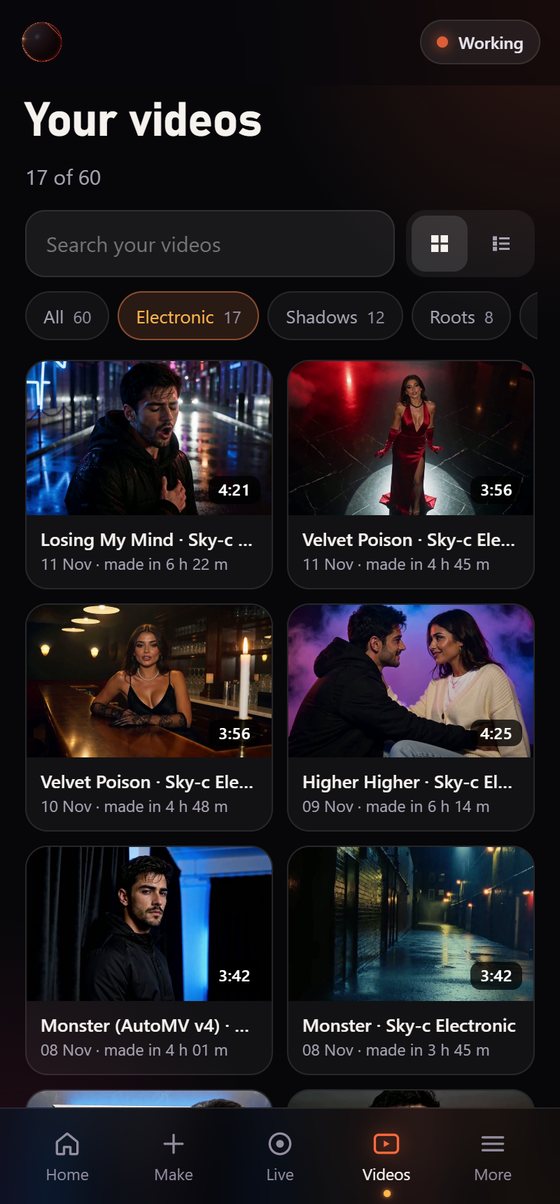
- Follow it on your phone, and download the finished video.
The planned flow. Cloud filming and credits open at launch.
Basics · 2 minMake your first videoFrom song to plan in five taps.
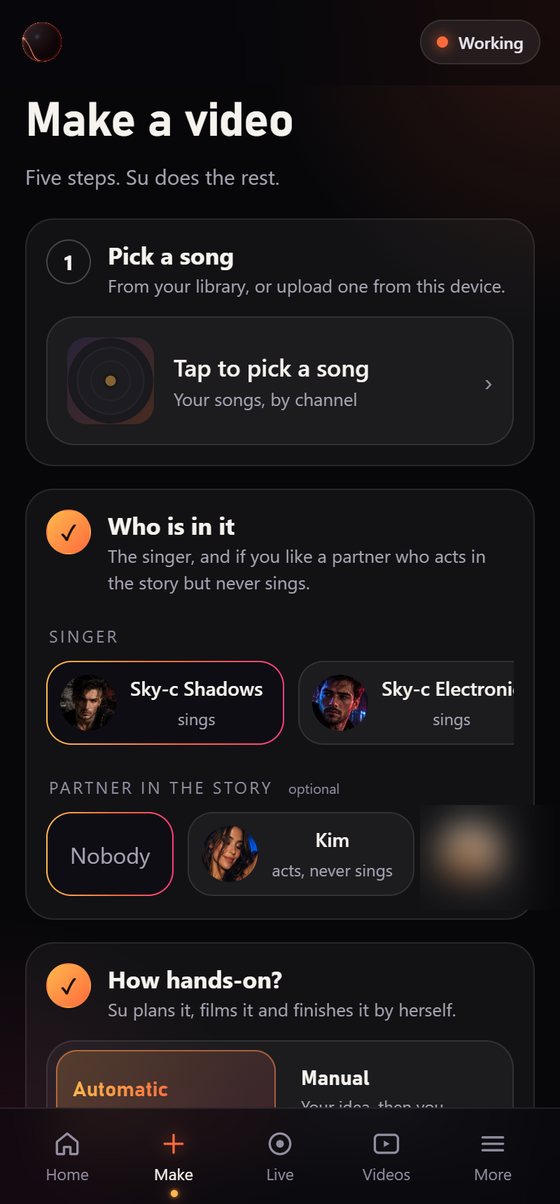
- Tap Make.
- Pick a song from your library, or upload one.
- Choose who sings, and add a partner if you like.
- Choose Automatic, or Manual if you want to add your own idea.
- Tap Make video. Your phone buzzes when Su’s plan is ready.
Basics · 5 minCheck Su’s planChange anything before filming.
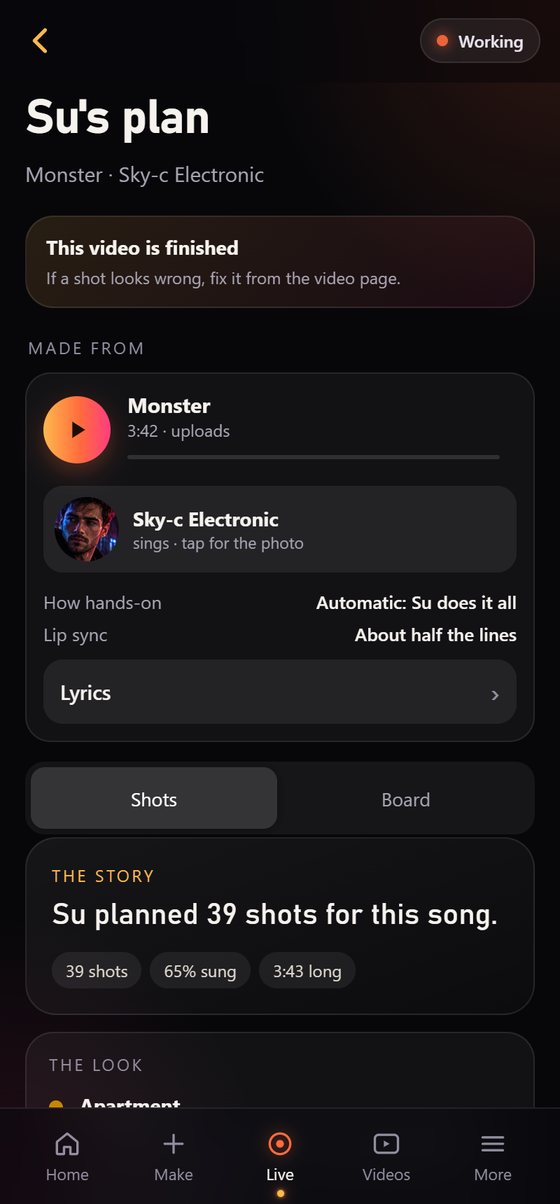
- Open the plan when your phone buzzes.
- Read the story, then swipe through the board, one card per shot.
- Tap a shot to change what happens, the camera, the mood or where the eyes go.
- Tap Looks good. Filming starts, and nothing is filmed before that.
After filming · 1 minFix a shotTap it, say what’s wrong.
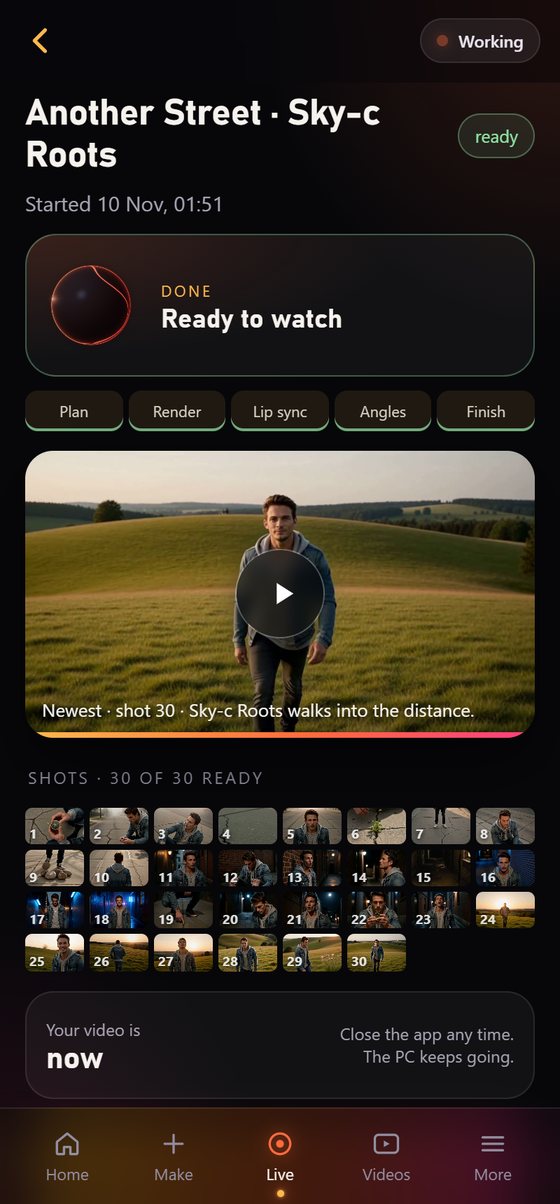
- Open the video, or Live while it is still filming.
- Tap the shot number you want to change.
- Say what to change, for example “look into the lens”.
- Su films that shot again, puts it in its place and recuts the video.
Make it yours · 10 min to set upTrain your face modelLook like yourself in every shot.
- Open Singers and add clear photos of the singer’s face.
- Start the training. It runs when your PC is free and tells you when it is done.
- Pick the new face model in Make. Every shot of that singer uses it.
For the PC studio
What your PC needs.
These numbers were measured on the PC Sunoymous is built on. In the cloud, any computer or phone will do.
Graphics card
- Minimum and recommended
- NVIDIA RTX with 24 GB: 3090, 3090 Ti or 4090The video model is 20 GB on its own, with a 15 GB text model beside it. 16 GB cards and the RTX 5090 are not tested yet.
Memory
- Minimum
- 64 GBWindows also uses its page file, so keep 64 GB free on the SSD for it.
- Recommended
- 96 to 128 GBFor every shot about 40 GB of AI models move between memory and the graphics card. With more memory nothing waits for the disk.
Storage
- Free space
- 300 GB on an SSDA fast NVMe SSD is best.
- Sunoymous and its AI models
- About 130 GB
- Each finished video
- Up to about 2 GBEvery shot is kept, so you can fix any of them later.
System
- Operating system
- Windows 11, 64-bit
- Processor
- 8 cores or more
- Internet
- To install and to download the AI models
Phone
- The phone app
- Android or iPhone with a recent browserSign in with your Sunoymous account. Today it reaches the build PC over Tailscale with a PIN.
Measured on
- The build PC
- RTX 3090 Ti · Ryzen 7 7700X · 64 GB
- A 3:21 song (Pull)
- 2 h 28 m from Su’s plan to the finished video
- A 5:36 song, every line lip-synced
- About 4 h 40 m
FAQ
Questions.
I don’t have a graphics card. Can I still use it?
Yes, in the cloud. You sign in on the website, choose Cloud, and a RunPod GPU films your video. You pay with credits, and nothing is installed on your computer.
What are credits?
Credits pay for cloud filming. A video uses credits for the GPU time it takes, and the GPU stops by itself when the video is done. Credit prices are set at launch. As a guide, a video like Pull is about $1.23 of GPU time on an RTX 3090 at RunPod’s 20 Nov 2026 price (an estimate: cloud filming is not tested yet).
Can I use my PC and the cloud?
Yes. One account works with both. Choose where each video films: your PC when it is free, the cloud when it isn’t. Your phone and the website show every video either way.
Where are my videos kept?
Videos filmed on your PC stay on your PC. Videos filmed in the cloud are kept in your cloud storage until you download or delete them.
How long does a video take?
About 2½ to 4 hours for a 3 to 4 minute song on an RTX 3090 Ti, from Su’s plan to the finished cut, on Fast quality. A 3:21 song took 2 h 28 m; a 5:36 song with every line lip-synced took about 4 h 40 m. You can close the app and follow it on your phone.
What PC do I need?
Minimum: Windows 11, an NVIDIA RTX card with 24 GB of video memory (RTX 3090, 3090 Ti or 4090), 64 GB of memory, an 8-core processor and 300 GB free on an SSD. Recommended: the same card with 96 to 128 GB of memory and a fast NVMe SSD, which makes every shot load faster.
Will it run on a 16 GB or 12 GB graphics card?
Not yet. The video model Sunoymous films with is 20 GB on its own, with a 15 GB text model beside it, so it needs a 24 GB card today. Smaller cards are not tested. If that changes, it will say so here.
Why does it need so much memory?
For every shot Sunoymous moves about 40 GB of AI models between your PC’s memory and the graphics card. With 64 GB, Windows also uses its page file, so keep 64 GB free on the SSD for it. With 96 to 128 GB nothing has to wait for the disk.
How much disk space does it use?
About 130 GB for Sunoymous and its AI models, then up to about 2 GB for each finished video (every shot is kept so you can fix any of them later). Start with 300 GB free on an SSD.
Does it work on a Mac or an AMD card?
Not yet. Sunoymous needs Windows and an NVIDIA RTX card with 24 GB of video memory.
Can I use my own songs?
Yes, any song you have the rights to. Sunoymous finds the beat and the sections itself, and puts the lyrics on screen as captions.
Can two people be in one video?
Yes. Pick a singer and a partner. The partner acts in the story and never sings, so the right person always sings each line.
What if I don’t like a shot?
Tap it, say what to change, and Su films that shot again and recuts the video. You can also change any shot in the plan before filming starts.
How does my phone connect?
At launch you sign in on your phone with your Sunoymous account, and it follows every video, on your PC or in the cloud. Today the phone app reaches the PC it is built on over Tailscale with a PIN.
Do I need a subscription?
No. The PC studio is planned as one payment of $49, then you make as many videos as your PC can film. The cloud uses credits you buy only when you need them.
When can I buy it?
Not yet. The studio and the phone app work today on the PC they are built on; the installer is still being built. See where it stands.